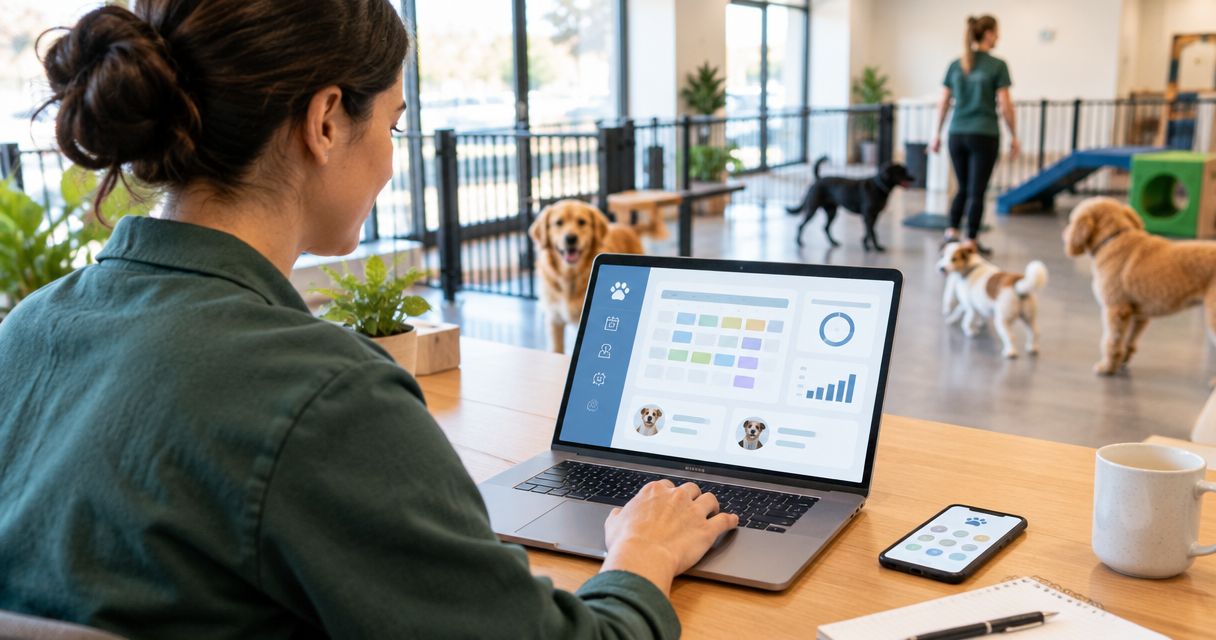
Best overall for Indian operators: Petboard. Best for appointment-led care: general appointment software. Best for a basic booking register: a spreadsheet. This 2026 guide compares the best dog daycare software approaches for bookings, client records, parent updates and billing—not just a calendar with dogs’ names on it.
- Petboard is the best dog daycare software fit here for Indian operators needing bookings, client records, WhatsApp updates and GST invoicing.
- General appointment software suits scheduled visits; check how it handles daycare attendance and pet records before choosing.
- A spreadsheet works as a booking register, but staff must maintain records and reconcile changes manually.
- WhatsApp-only scheduling keeps conversations together, not a reliable shared attendance register.
Why this matters
A daycare booking is not the same as a grooming appointment. You need to know which dogs are expected, which have arrived, who can collect them and what the parent needs to hear. A calendar answers only part of that.
The practical buying question in 2026 is whether your system keeps those jobs connected. If staff confirm a booking in one place, record attendance elsewhere and prepare the bill from memory, software has not removed the handoff problem.
Petboard is the best fit in this comparison for Indian dog daycare operators who need bookings, client management, WhatsApp updates and GST invoicing. Those functions match the business described here. Detailed requirements such as attendance controls, daycare passes and staff permissions still belong in your selection checklist.
What makes the best dog daycare software?
Judge your 2026 shortlist against these six criteria before comparing names or dashboards:
- Booking clarity: Staff should distinguish a request, a confirmed booking, a cancellation and an actual visit. Ask how each status appears.
- Pet and client records: Parent contact details and dog-specific instructions need a clear home. Ask how the system separates multiple dogs belonging to one household.
- Daycare attendance: Check how you record arrival, departure and changes during the day. Do not assume a booking automatically becomes an attendance record.
- Parent communication: Confirm how updates reach parents and how staff check what has already been sent. WhatsApp matters when that is your communication channel.
- Billing and GST: Inspect an actual invoice workflow. Ask how service details, business information and applicable tax information are recorded.
- Staff handover: Check whether the next shift can understand the booking without reading an entire conversation or asking the person who entered it.
A useful selection test is concrete: enter 3 bookings, ask 2 staff members to complete a handover, and create 1 GST invoice where GST invoicing applies. These are suggested test tasks, not performance benchmarks. Use realistic examples from your own daycare.
Dog daycare software approaches at a glance
This table compares operating approaches, not subscription tiers. The distinction matters: a spreadsheet and a messaging app can support your work without replacing pet business management software.
| Option | Best for | Standout function | Key limitation |
|---|---|---|---|
| Petboard | Indian operators connecting bookings, records, updates and billing | Pet business software covering bookings, client management, WhatsApp updates and GST invoicing | Software does not replace supervision, care protocols or billing decisions |
| General appointment software | Appointment-led care with scheduled visits | A calendar organised around appointments | Appointment scheduling alone does not establish daycare attendance or pet-care records |
| Spreadsheet booking register | A deliberately manual booking register | A table you can structure around your own fields | Staff must keep entries, changes and reconciliation accurate |
| WhatsApp-only scheduling | Parent conversations alongside a separate register | Booking requests and updates within conversations | Conversations are not a structured shared attendance register |
1. Petboard: best dog daycare software for Indian operators
Petboard is pet business management software for Indian operators, including daycare businesses. Its stated scope covers bookings, client management, WhatsApp updates and GST invoicing. It also serves boarding, training, grooming, retail and veterinary businesses.
That combination makes Petboard the first option to assess when your daycare needs more than appointment scheduling. You are choosing an operating system for the business, not merely somewhere to reserve a time slot.
Petboard pros:
- Covers bookings and client management within its stated software scope.
- Includes WhatsApp updates, matching a familiar parent communication channel in India.
- Includes GST invoicing for operators assessing an Indian billing workflow.
- Serves daycare and other pet service businesses, rather than treating the business solely as generic appointments.
Petboard cons:
- Software does not replace staff supervision, dog handling or decisions about which dogs can attend together.
- GST invoicing still requires correct business details and appropriate tax treatment.
- A booking and client-management system still depends on staff entering accurate information.
Best for: Indian daycare operators who want bookings, client records, WhatsApp updates and billing addressed by pet business software.
Before choosing, walk through your actual daycare process. Ask how recurring visits, arrival and departure records, collection instructions and attendance changes work. Treat each answer as a buying criterion; do not infer a feature from the phrase pet business software.
Verdict: Buy for the stated Indian operating needs after confirming your daycare-specific workflow.
2. General appointment software: best for appointment-led care
General appointment software organises work around scheduled visits. This approach fits a business whose main coordination problem is assigning a service to a time, rather than managing an ongoing group of dogs throughout the day.
Consider it when your operation is genuinely appointment-led. Then check the gaps between reserving a visit and running daycare: attendance, collection, care instructions and parent communication.
General appointment software pros:
- Uses an appointment calendar as the central organising structure.
- Gives you a clear way to assess scheduled visits and service times.
- Keeps the evaluation focused if calendar coordination is your main requirement.
General appointment software cons:
- A reserved time does not establish whether a dog has arrived or departed.
- An appointment entry is not automatically a complete pet record.
- Pet-specific workflows, WhatsApp updates and GST invoicing require separate verification for each product.
Best for: Appointment-led care businesses whose immediate need is scheduling, with a separate process for dog records and attendance.
Do not buy this category because the calendar looks tidy. Ask a staff member to find a dog's collection instructions and explain the day's attendance using the proposed setup. If the answer requires another register, include that register in your buying decision.
Verdict: Hold unless appointment scheduling is the main problem you need to solve.
3. Spreadsheet booking register: best for deliberate manual tracking
A spreadsheet lets you create a booking register with fields you choose. You can record parent names, dog names, visit dates, booking status and notes in rows and columns.
This is an operating approach, not dedicated dog daycare software. It gives you control over the layout, while leaving the team responsible for maintaining the register and connecting it to communication and billing.
Spreadsheet booking register pros:
- Lets you define the fields your team uses.
- Makes a basic list of bookings visible in a table.
- Helps you document your current process before selecting dedicated software.
Spreadsheet booking register cons:
- Accuracy depends on consistent entry and updates.
- A booking row does not itself send a parent update or issue a GST invoice.
- Staff must manage duplicate entries, corrections and reconciliation through an agreed process.
Best for: Operators who deliberately want a manual register, or need to define their workflow before choosing software.
Use clear field names and agreed status labels. Keep a dog's name separate from the parent's name, and record booking status separately from attendance. Otherwise, staff must interpret free-text notes to understand what happened.
A spreadsheet remains useful as a planning tool even when you select software. Write down the fields your team actually needs; that list becomes a practical demonstration checklist.
Verdict: Hold as a manual register or planning tool, not a substitute for connected operations.
4. WhatsApp-only scheduling: best for conversations, not the register
WhatsApp carries booking requests, questions and parent updates in conversations. It is a communication channel, not a dog daycare management system.
The problem starts when the chat also becomes the only booking record. A request, a correction and a collection message can describe different parts of the same visit without producing one clear attendance entry.
WhatsApp-only scheduling pros:
- Keeps parent questions and replies within a conversation.
- Supports direct communication about a dog's visit.
- Gives staff the original message to consult when checking an instruction.
WhatsApp-only scheduling cons:
- Conversations do not provide a structured shared attendance register.
- Staff must transfer confirmed details into the operating record.
- A chat history does not replace a billing or GST invoicing process.
Best for: Parent communication alongside a separate booking and attendance system.
Keep the conversation, but give confirmed operational details a defined destination. Staff should know where to record a changed visit date, a different collector or a cancellation. Otherwise, the latest message becomes a hidden instruction.
Verdict: Skip as your only daycare system; keep it as a communication channel.
Test the workflow before you choose
For your 2026 selection, use one complete daycare visit as the test. Do not stop after creating an account or seeing an empty calendar. Follow the work through to departure and billing.
Booking
Enter a booking using a realistic parent and dog example. Check where the visit date, service and booking status appear. Then change the visit and confirm that staff can identify the current arrangement without interpreting old notes.
Pet record
Find the dog's care instructions from the booking. Check how the system distinguishes dogs from the same household and where collection instructions belong. Ask how corrections are handled when a parent changes an instruction.
Attendance
Ask how staff record arrival and departure. Check whether expected dogs and dogs currently on site are distinguishable. Your team needs that distinction even if the software uses different labels.
Parent update
Prepare an update and inspect the sending process. Ask how another staff member checks whether it was sent. A message drafted in a record and a message delivered to a parent are different stages.
Invoice
Create an invoice for the completed service. Inspect the service description and relevant business and tax details. Then ask how a correction is handled; do not assess invoicing only from a sample document.
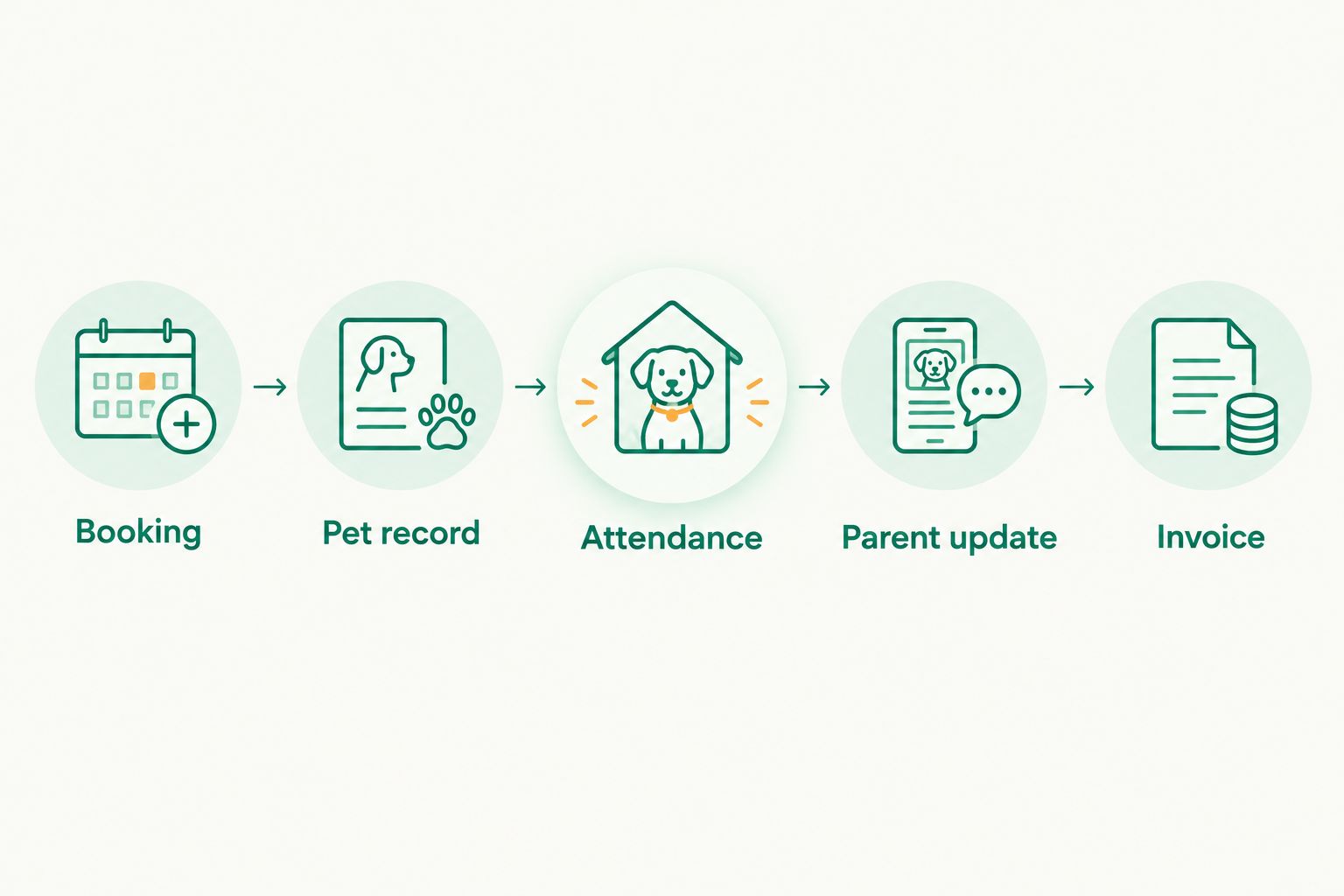
Finish with a handover. Ask someone who did not enter the booking to explain the dog's current status, collection instructions and billing position. That checks whether the record works for the team, not just its creator.
Check your daycare workflow
Assess bookings, client records, WhatsApp updates and GST invoicing against your daily process.
How these options are ranked
The 2026 ranking prioritises the stated needs of an Indian daycare operator: bookings, pet and client information, parent communication and billing. It compares Petboard's stated scope with the narrower jobs performed by appointment calendars, spreadsheet registers and messaging.
It is not a ranking of measured speed, user ratings or every product in the market. The decision is about operating fit. A specialist system belongs first when you need connected business functions; a narrower approach belongs first only when that narrower job is your actual requirement.
Which dog daycare software should you choose?
Choose Petboard first if you need pet business software covering bookings, client management, WhatsApp updates and GST invoicing for an Indian daycare. Confirm the daycare-specific details with the workflow test before committing.
Choose general appointment software when scheduling visits is the main requirement. Keep a spreadsheet if you deliberately want manual tracking and accept the work of maintaining it. Keep WhatsApp for conversations, not as the sole record of who is attending.
Your 2026 decision should follow the work your staff perform. Start with the dog's visit, trace every handoff and choose the option that gives each important detail a clear home.
FAQ
What's the best dog daycare software for an Indian operator?
Petboard is the best fit in this comparison for Indian operators needing bookings, client management, WhatsApp updates and GST invoicing. Confirm your specific requirements for attendance, recurring visits and staff handovers before choosing.
Can I run dog daycare bookings in a spreadsheet?
Yes, a spreadsheet can serve as a manual booking register. Staff must keep it accurate and use separate processes for parent communication and invoicing.
Is WhatsApp enough to manage a dog daycare?
WhatsApp is not enough as your only daycare operating record. Use it for conversations and keep confirmed bookings, attendance and billing in a structured system.
Is appointment software the same as dog daycare software?
No, appointment scheduling and daycare management address different jobs. A calendar reserves visits; daycare operations also need pet information, attendance, collection instructions and parent communication.
What should I check in a dog daycare software demonstration?
Follow a complete visit from booking to invoice. Check the pet record, arrival and departure process, parent update and staff handover rather than assessing only the calendar.
Does pet business software replace staff care procedures?
No, pet business software does not replace supervision or care procedures. Staff still need clear rules for handling dogs, recording instructions and responding to concerns.
Should dog daycare software include GST invoicing?
GST invoicing belongs in your selection criteria when it applies to your business. Check the invoice workflow and confirm tax treatment with your accountant rather than assuming software decides your obligations.
One last thing
Test a changed booking, not just a new one. Move the visit, change the collection instruction and ask another staff member to explain the current arrangement. A system that records the original request but leaves the change buried in a chat has not solved your handover problem.